
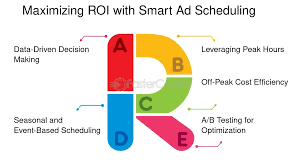
Running ads can be expensive, especially when competition is high. Because of this, many advertisers are looking for ways to control costs. One of the simplest and most effective techniques is reducing CPC through ad scheduling. This strategy helps you show ads at the right time, reduce wasted budget, and improve conversions without increasing spend.
In this guide, you will learn how timing affects CPC, why ad scheduling works, and how you can use it to boost your campaign performance.
What Is Ad Scheduling in PPC?
Ad scheduling, also known as dayparting, allows you to choose the exact hours and days when your ads will appear. Instead of running ads 24/7, you can limit your ads to the times when your audience is most active.
This helps reduce unnecessary impressions. It also increases the chances of your ads reaching people who are ready to take action.
Why Reducing CPC Through Ad Scheduling Works
Reducing CPC through ad scheduling works because online advertising costs change throughout the day. Sometimes the competition is high. Other times it is low. When competition drops, CPC often becomes cheaper.
Here are a few reasons why scheduling helps:
1. Less Competition During Certain Hours
Competition is not the same all day. When fewer advertisers are active, CPC goes down. Therefore, showing ads during these hours helps you save money.
2. Better Conversion Potential
Some hours simply perform better. If your audience converts more during a specific time window, focusing your spend there increases ROI.
3. Reduced Wasted Budget
Ads running at the wrong time often generate clicks but not conversions. When you avoid these hours, you prevent budget leakage.
4. Improved Quality Score
Higher engagement during selected hours can improve your Quality Score. A better score often results in lower CPC.
How to Reduce CPC Through Ad Scheduling: Step-by-Step
Here is a simple and clear process you can follow.
1. Analyze Your Hour-by-Hour Performance
Start by checking your campaign’s hourly performance report. You can find this in Google Ads:
Reports → Predefined Reports → Time → Hour of Day
Look at:
-
CPC by hour
-
CTR by hour
-
Conversions by hour
-
Cost vs. return
Use this data to spot patterns. You may see that certain hours bring many clicks but almost no conversions. These are the hours you can remove from your schedule.
2. Identify High-Performing Hours
Next, find the hours that consistently bring the best results. These hours usually have:
-
High CTR
-
Lower CPC
-
Strong conversion rates
These are the hours where your ads should appear more often.
3. Pause Low-Performing Hours
After identifying low-value times, you should pause them. These hours often include:
-
Early morning
-
Late night
-
Very slow conversion periods
Pausing ads during these times is one of the easiest ways of reducing CPC through ad scheduling.
4. Add Bid Adjustments During Peak Hours
If you have hours that deliver strong results, consider increasing your bid slightly during those times. A small bid increase can help you reach more people when the chances of converting are higher.
For example:
-
+20% bids during high-performing hours
-
-20% bids during low-performing hours
This method improves performance while also controlling CPC.
5. Use Device-Based Scheduling
Users behave differently depending on the device they use. As a result, you may need separate schedules for:
-
Desktop
-
Mobile
-
Tablets
For example, mobile users may convert better during evening hours. Desktop users, however, may convert better during the day. Using device-specific timing is a powerful way to lower CPC.
6. Test Off-Peak Hours
Off-peak hours often have cheaper CPC. Although traffic is lower, the cost per click can be significantly reduced. You can test hours like:
-
Early morning
-
Lunchtime
-
Late evening
Surprisingly, these hours often deliver good results with less cost.
7. Combine Ad Scheduling With Smart Bidding
Smart bidding strategies such as Maximize Conversions or Target CPA can work better when combined with scheduling. This is because Google adjusts bids automatically while your schedule controls timing.
Together, they help reduce CPC without harming results.
Advanced Tips for Reducing CPC Through Ad Scheduling
Once you master the basics, you can try more advanced strategies.
1. Create a Heatmap of User Activity
Tools like Google Analytics, Microsoft Clarity, and Hotjar can show when users are most active. These heatmaps help you identify strong hours for engagement.
2. Study Competitor Activity
Using platforms like SEMrush or Ahrefs, you can see when your competitors increase their bids. Running ads when they are less active can significantly reduce your CPC.
3. Adjust Your Schedule During Seasonal Changes
User behavior changes during:
-
Holidays
-
Festivals
-
Sales seasons
-
School vacations
Reviewing your schedule during these times keeps your CPC low.
4. Run a 7-Day Scheduling Test
An A/B test can help you compare:
-
Full-day schedule
vs. -
Custom ad scheduling
This test reveals which approach gives a better CPC and conversion rate.
Common Mistakes to Avoid
To get the best results, avoid these errors:
❌ Using the same schedule for all campaigns
Every campaign needs its own data-based schedule.
❌ Pausing too many hours
A schedule that is too restrictive reduces reach.
❌ Forgetting mobile vs desktop differences
Each device has its own performance pattern.
❌ Not updating the schedule regularly
User behavior changes over time.
❌ Ignoring your audience’s time zone
Time zone errors can lead to wasted spend.
Conclusion
Reducing CPC through ad scheduling is one of the smartest ways to manage your PPC budget. You simply need to understand your audience’s behavior, identify strong time windows, and avoid low-performing hours. When you follow a structured approach, you will not only reduce CPC but also improve conversions and overall campaign efficiency.
Ad scheduling is easy to set up, cost-effective, and powerful. Therefore, every advertiser beginner or expert—should use it as part of their PPC optimization strategy.